Your microwave is spinning, the light is on, the fan is humming but the food comes out stone cold. Here’s what’s actually going on inside that box, what you can safely check yourself, and when it’s time to call in a pro.  There’s something uniquely frustrating about a microwave that runs perfectly fine but refuses to heat anything. You stand there, waiting, and pull out a bowl of soup that’s exactly as cold as when you put it in. At Abbotsford Appliance Repair Pros, we hear this complaint regularly and the good news is that a surprising number of these calls turn out to have simple explanations that take five minutes to sort out. Abbotsford homes tend to run their appliances hard, especially through the cooler months when everyone’s relying on quick weeknight meals. When a microwave goes down, it throws off the whole kitchen routine. So before you start pricing out replacements, let’s work through this properly.
Key takeaways
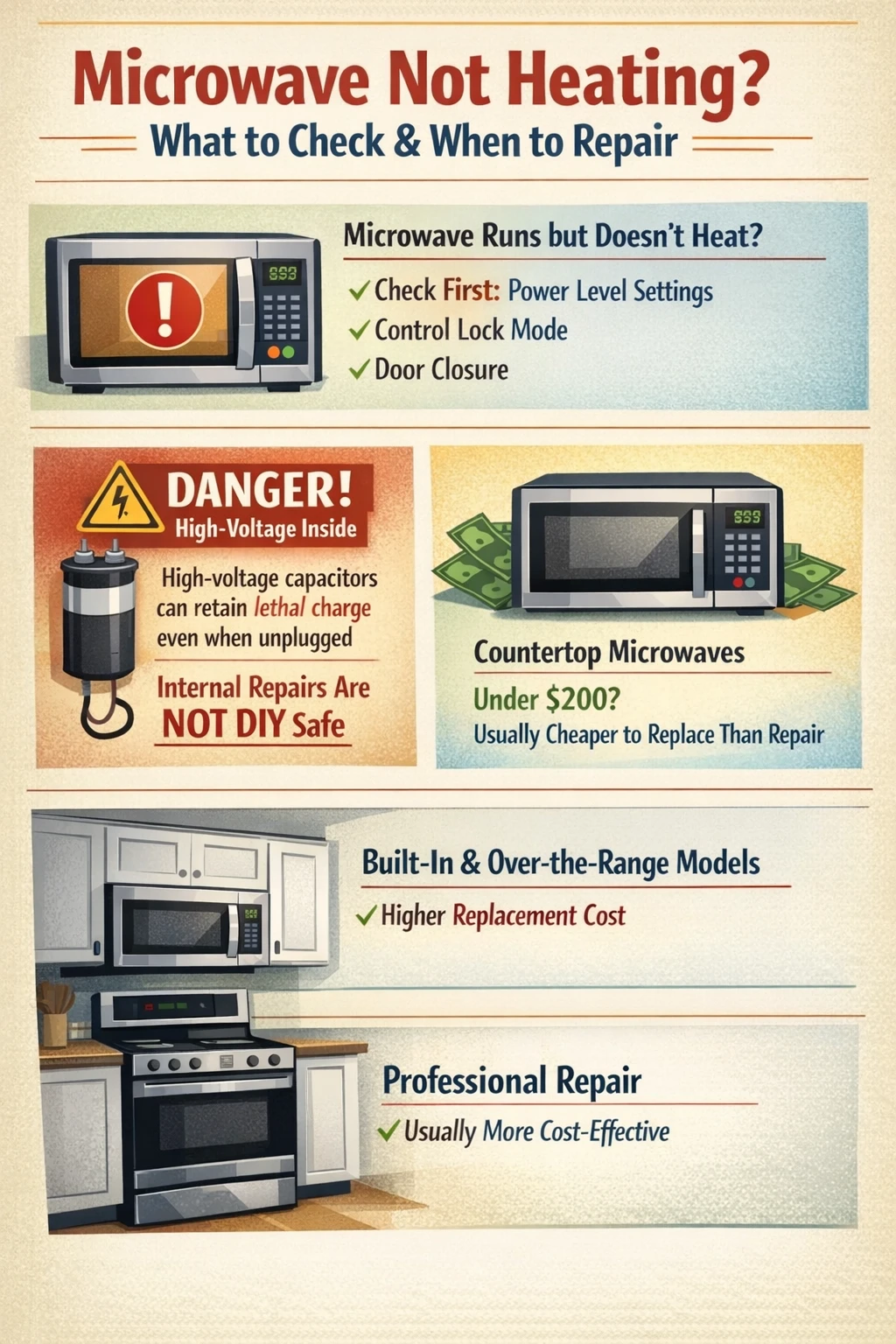
- A microwave that runs but doesn’t heat is almost always caused by one of six things: a power issue, a locked control setting, a low power level, a faulty door switch, a blown thermal fuse, or a failed internal component like the magnetron or high-voltage diode.
- Always check the simple stuff first power level, control lock mode, and door closure before assuming something is broken inside the unit.
- Microwaves contain high-voltage capacitors that can hold a lethal charge even after the unit is unplugged, which is why internal repairs beyond the door switches are best left to a qualified technician.
- A countertop microwave that costs under $200 is often cheaper to replace than to repair once you factor in a service call, parts, and labour.
- Built-in and over-the-range models are a different story their higher replacement cost, plus the expense of a trim kit or installation, often makes repair the smarter financial call.
- Unplugging a microwave and leaving it off for 10 minutes can clear minor software glitches and is always worth trying before anything else.
Why your microwave isn’t heating
When a microwave runs but doesn’t heat, the magnetron isn’t firing. The magnetron is the component that actually generates the microwave energy responsible for cooking food. Everything else the turntable, the light, the fan, the display can work perfectly even when the magnetron is completely offline. So a running microwave that won’t heat isn’t really ‘working.’ It’s just going through the motions. The causes range from embarrassingly simple (the power level got bumped to 10%) to genuinely complex (a failed high-voltage diode or blown thermal fuse). We always tell people to start at the simple end of that list. You’d be surprised how often the fix is free. One thing worth knowing upfront: microwaves are not like toasters or dishwashers when it comes to DIY repair. The internal components operate at voltages that can seriously injure or kill, and those capacitors hold that charge even after you unplug the unit. There’s a real line between what’s safe for a homeowner to investigate and what needs a trained technician.
Start here: the checks that cost nothing
First things first before you do anything else, unplug the microwave and plug it back in. Leave it off for at least 10 minutes. This resets the internal computer, and in some cases a corrupted power level setting or a stuck mode will clear itself. It sounds too simple to be real, but we’ve seen it work more times than we can count. Once you’ve done that, check the power level setting. Most microwaves have between five and ten power levels, and it’s easier than you’d think to accidentally knock it down to level 1 or 2, especially on touchpad models. A microwave running at 10% power will heat your food so slowly it might as well not be heating at all. Check that the power is set to 100% (or whatever level is appropriate for what you’re cooking) before assuming anything is broken.
Control lock and demo mode
Two settings that trip people up constantly are Control Lock Mode and Demo Mode. Control Lock is designed to prevent accidental operation while you’re cleaning the panel you hold down a button for a few seconds and the controls freeze. Many microwaves show a small ‘L’ or ‘LOC’ on the display when this is active. If your controls seem unresponsive, this is the first thing to check. Your owner’s manual (or a quick search of your model number online) will show you exactly how to disable it. Demo Mode is sneakier. Retailers use it on display floor models to show the appliance running without actually heating anything. In Demo Mode, the turntable spins, the fan runs, the light comes on but the magnetron never activates. If your microwave ended up in Demo Mode somehow (a common result of a power surge or someone pressing the wrong sequence of buttons), it will perform a perfect imitation of a working microwave while cooking absolutely nothing. Check your manual and disable it if it’s engaged.
The door and the door switches
Microwaves have a safety interlock system built around the door. The unit will not heat unless the door is confirmed fully closed by a set of internal switches. These aren’t just one switch most models have two or three, acting as redundant safety checks. If a door switch fails, the microwave may appear to operate normally. The turntable spins. The fan runs. The light may or may not behave oddly. But the magnetron won’t activate because the safety system never got the ‘door is closed’ signal it was waiting for. Before assuming the switch itself has failed, make sure the door is closing completely and the latch is engaging properly. Sometimes a latch that’s slightly sticky or a gasket that’s slightly warped is all that’s happening. Give the door a firm, deliberate close and test again. 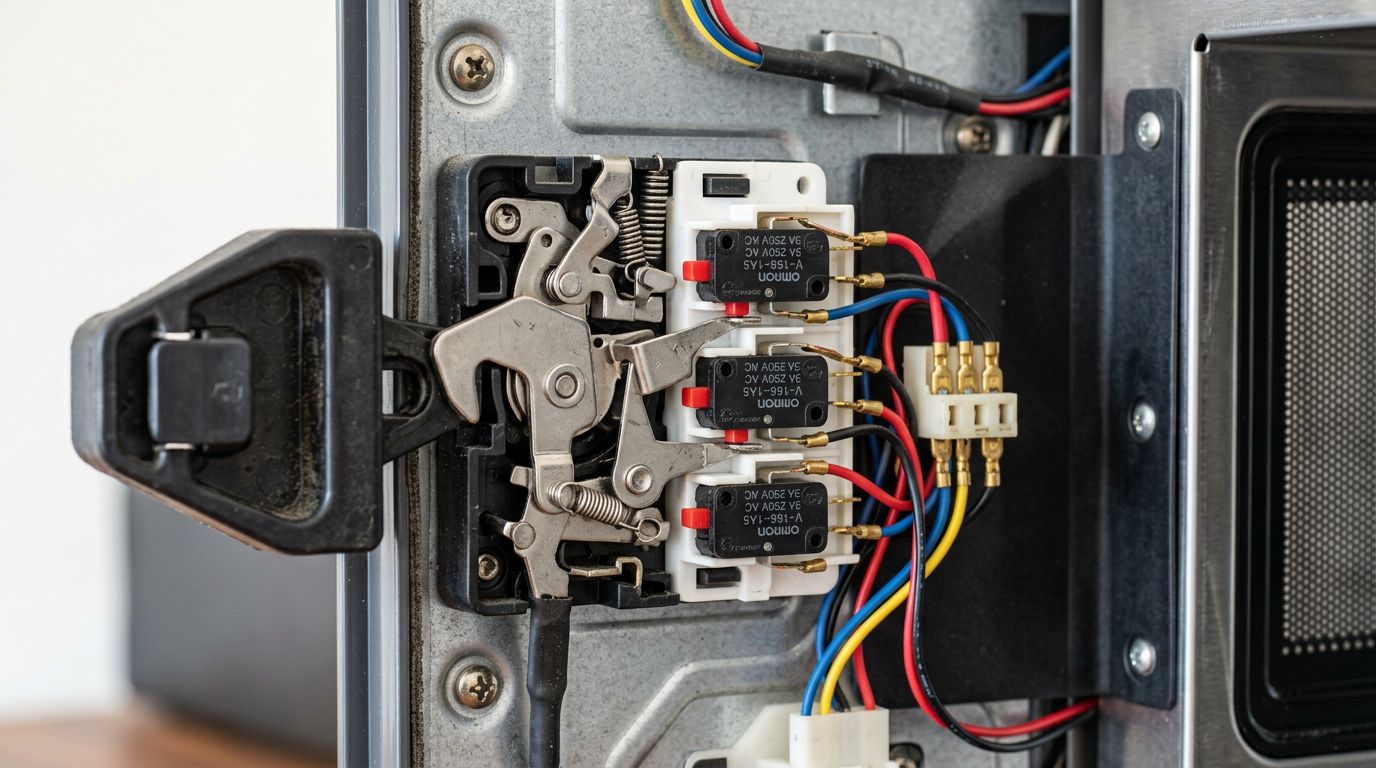 If you’re in an older home around Bradner or Matsqui, where kitchen renovations sometimes mean cabinets have shifted slightly over the years, it’s worth checking whether the microwave frame itself is sitting level a unit that’s tilted can affect how the door closes and latches.
The internal components: what’s likely failing and why it matters
If you’ve ruled out power settings, lock modes, and door issues, you’re looking at a component failure inside the unit. There are three main culprits.
The magnetron
The magnetron is the heart of the microwave. It converts electrical energy into the microwave radiation that heats food. When it fails, you get exactly the symptoms described: everything runs, nothing heats. Magnetrons don’t typically fail gradually they tend to work, and then they don’t. A failed magnetron usually means replacement. The part itself ranges in price, and labour adds to that, so the repair cost on a basic countertop model can approach or exceed what the microwave is worth. On a higher-end built-in unit, repair is still usually the right call financially. Do not try to test or replace a magnetron yourself. The magnetron is located deep within the high-voltage section of the microwave, and the capacitor in that area stores thousands of volts. It does not discharge when you unplug the unit. This is not a figure of speech about caution it’s a genuine, documented safety hazard. Former appliance technicians at major manufacturers have specifically noted that microwaves are the one appliance where they drew the line on DIY guidance, for exactly this reason.
The high-voltage diode
The high-voltage diode works alongside the magnetron, converting the power supply’s alternating current into the direct current the magnetron needs to fire. A failed diode means the magnetron never gets the power it requires, even if the diode itself and the surrounding components appear fine visually. Symptoms of a bad diode include a microwave that runs silently without heating, or one that makes an unusual buzzing or humming sound during operation. Like the magnetron, the diode sits in the high-voltage section of the unit. Professional diagnosis and repair applies here.
The thermal fuse
Many microwaves include a thermal fuse that cuts power to the magnetron if the unit overheats. Once this fuse blows, the microwave will run but won’t heat until the fuse is replaced. It’s a relatively inexpensive part, but it’s located inside the unit, and the same capacitor warnings apply. One clue that a thermal fuse is the issue: if your microwave recently ran for an unusually long time, or was used in a poorly ventilated spot (like pushed too far back into a cabinet without clearance), overheating is a plausible cause. We see this fairly often in Clearbrook where older kitchen layouts sometimes have tighter-than-ideal cabinet fits around built-in appliances.
When to repair and when to replace
This is the honest conversation nobody always wants to have, but it matters. Not every microwave is worth fixing. Here’s a practical way to think about it. If the repair cost is going to exceed half the price of a comparable replacement unit, and your microwave is more than five or six years old, replacement is usually the smarter financial move. Countertop models under $150 fall into this category almost automatically a service call alone, before any parts, can run $75 to $100 in our area. Built-in microwaves, over-the-range units, and combination microwave-oven units are a different calculation. These cost significantly more to replace, and installation adds further expense. A $200 repair on a unit that would cost $800 to replace and install? That math favours repair. 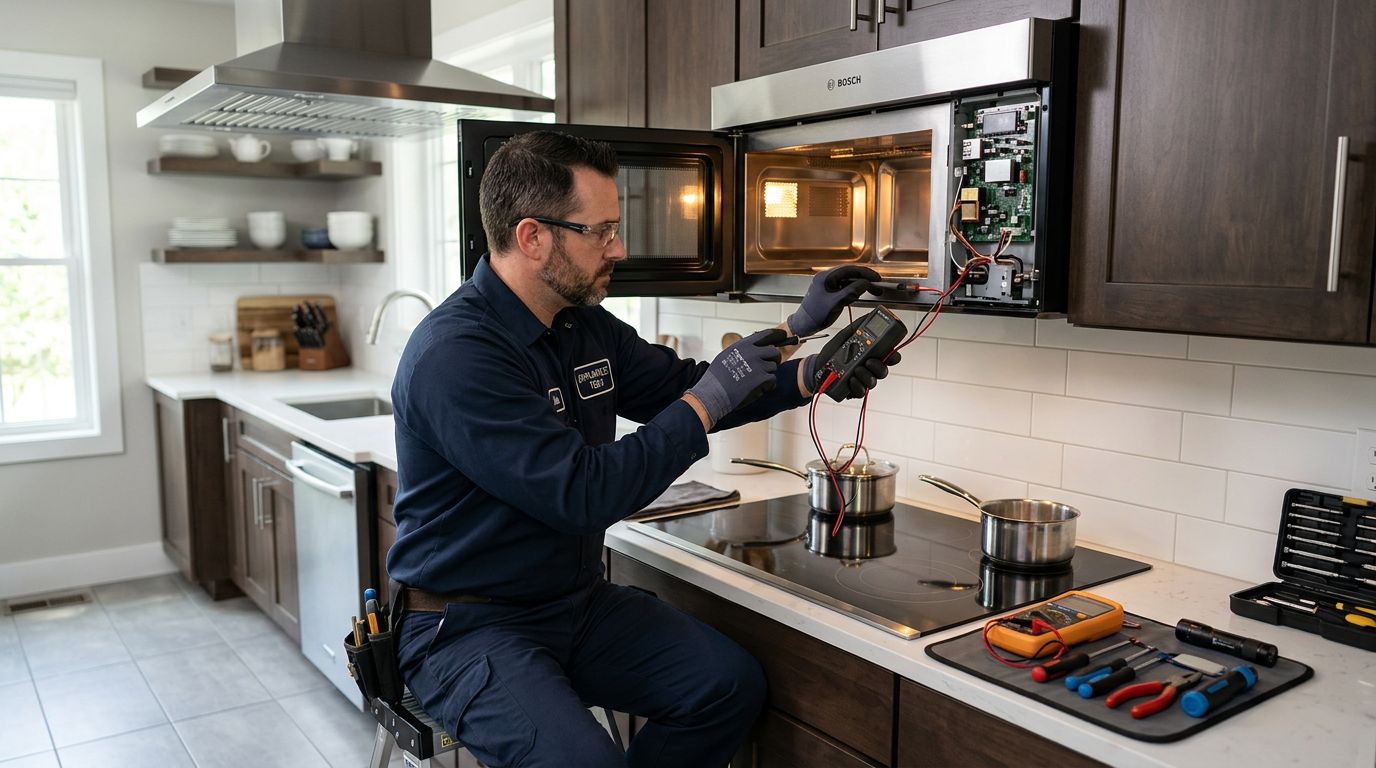 The other factor is the nature of the failure. A door switch replacement on an otherwise solid microwave is a reasonable investment. A magnetron replacement on a microwave that’s already eight years old, with a cracked interior cavity liner and sticky buttons, is probably just delaying the inevitable. If you’re not sure where things stand, a proper diagnosis from a qualified technician will at least tell you exactly what you’re dealing with before you commit to anything. You should be able to get a clear explanation of the fault and the parts cost before you agree to any work.
What not to do
This section is short, but it’s worth saying clearly. Do not open the microwave case and start probing components unless you have specific training in high-voltage electronics. The capacitor inside a microwave can hold a charge of 2,000 volts or more, and it can retain that charge for hours or longer after the unit is unplugged. There is no visual way to tell if it’s discharged. This isn’t an internet rumour it’s well-documented, and it’s the reason that Whirlpool’s technical training specifically prohibited repair staff from giving microwave internal repair advice to end users. Do not continue using a microwave with a cracked or damaged interior cavity, sparking, burning smells, or an arcing issue. These are not cosmetic problems. Get it checked or replace it. And honestly, if a YouTube video makes a microwave repair look simple, it’s because they’ve edited out the parts about capacitor discharge procedures and the specific tools required. Some repairs really are fine for a handy homeowner. Microwave high-voltage components are not among them. For anything beyond basic appliance troubleshooting, Natural Resources Canada’s energy efficiency guidance is worth a look if you’re deciding between repairing and replacing from an energy-use standpoint.
Frequently asked questions
Homeowners researching a microwave that won’t heat tend to have a few very specific follow-up questions. Here are the ones we get most often, answered directly.
Is it safe to use a microwave that runs but doesn’t heat?
Generally speaking, a microwave that runs without heating isn’t dangerous to stand near but you shouldn’t keep using it as if it’s working, because you won’t actually be cooking food safely. Underheated food is a real problem from a food safety standpoint: bacteria that should be killed during heating won’t be if the food only reaches 30 degrees instead of the proper temperature. Get the issue diagnosed rather than trying to compensate by running it longer.
Can a blown fuse cause a microwave not to heat?
Yes, but there’s an important distinction. The main line fuse, if blown, usually means the microwave won’t power on at all. The thermal fuse that protects the magnetron is different when that one goes, the microwave will appear to operate normally but produce no heat. Fuse replacement is relatively inexpensive, but because it requires opening the cabinet and working near high-voltage components, it’s a technician job rather than a DIY task. For guidance on understanding your home’s overall electrical system, the Canadian Centre for Occupational Health and Safety has useful general electrical safety information.
How long should a microwave last?
A well-maintained microwave typically lasts 9 to 10 years with regular use. Built-in models that run less frequently can last longer. Magnetrons themselves are rated for around 2,000 hours of actual operation time, which, for most households, works out to many years of normal use. If your microwave is under five years old and failing, repair almost always makes sense. If it’s pushing ten years and showing multiple issues, replacement is worth considering seriously.
Why is my microwave heating unevenly?
Uneven heating is usually a turntable issue either the tray isn’t sitting properly on the roller ring, or the turntable motor is failing and the tray isn’t rotating as it should. A non-rotating tray means hot spots and cold spots in whatever you’re cooking. This is one of the more DIY-accessible problems: check that the tray is seated correctly, clean the roller ring and its track, and test again. If the motor itself has failed, that’s a repair a technician can diagnose quickly. Uneven heating can also result from a magnetron that’s starting to degrade but hasn’t failed completely it produces less consistent output before it quits entirely.
What does it mean when the microwave hums loudly but doesn’t heat?
A loud, unusual hum during operation different from the normal fan noise often points to a failing or shorted high-voltage diode. The diode is trying to do its job, isn’t managing it properly, and the electrical resistance is producing that sound. This is a component failure that needs professional diagnosis.
Wrapping up
A microwave that runs without heating is frustrating, but it’s almost never mysterious once you work through the possibilities systematically. Start with the free checks: power level, control lock, demo mode, door latch. If those don’t resolve it, you’re likely looking at an internal component failure and at that point, the honest advice is to get a professional diagnosis before spending anything, because the repair-versus-replace calculation depends entirely on what’s actually failed and what the unit is worth. If you’re dealing with a microwave that won’t heat, or any other appliance giving you grief, Abbotsford Appliance Repair Pros handles microwave repair in Abbotsford and the surrounding area, along with fridge repair, stove repair, dishwasher repair, washer repair, dryer repair, and more. We’ll tell you straight whether something is worth fixing before we touch it. Give us a call and we’ll help you figure out the best path forward.